3. PUBLISHING DATA
Data Sharing with ORD Ingest API (For EUMETNET Members only)
The ORD Ingestion API includes three endpoints for sharing data:
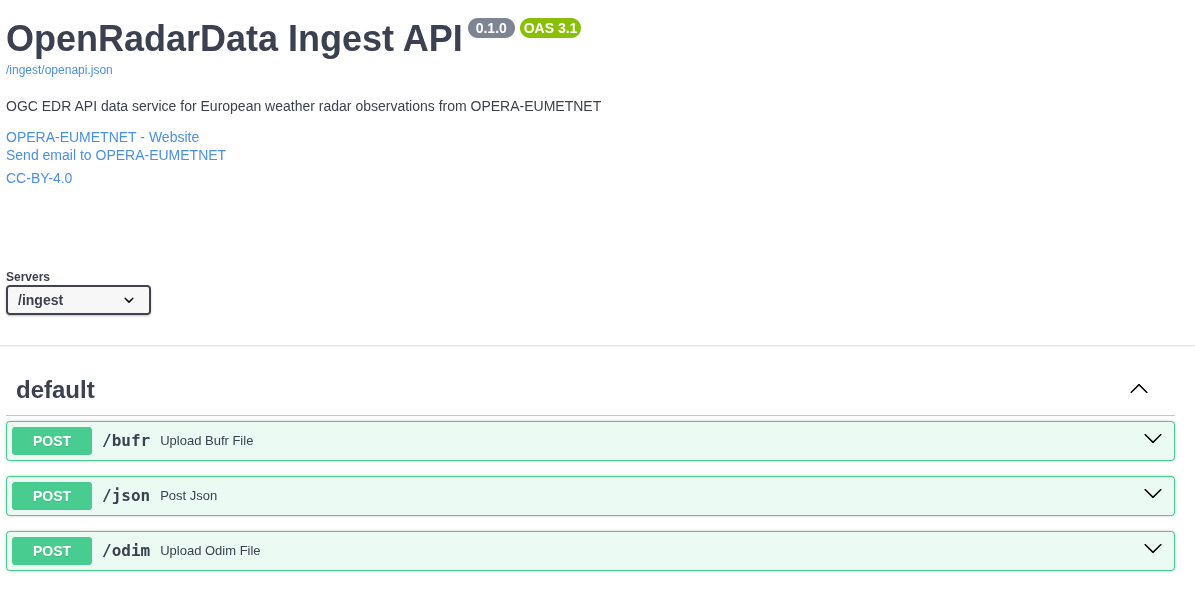
1. BUFR Endpoint
- Used for uploading and sharing BUFR files.
- For OPERA production to ingest the European single site data to European Weather Cloud S3 storage
- The ingester module:
- Extracts metadata from BUFR files and stores it in the database.
- Uploads the original (or renamed) BUFR file to the ORD S3 bucket.
2. ODIM Endpoint
- Processes ODIM files in HDF5.
- For OPERA production to ingest the European single site data and OPERA composites to European Weather Cloud S3 storage
- The ingester module:
- Extracts metadata from ODIM files and stores it in the database.
- Uploads the original (or renamed) ODIM file to the ORD S3 bucket.
3. JSON Endpoint
- Enables sharing locally stored radar data.
- For EUMETNET National Meteorological Services (NMSs) to provide national products via ORD
- Users provide radar metadata through the JSON endpoint.
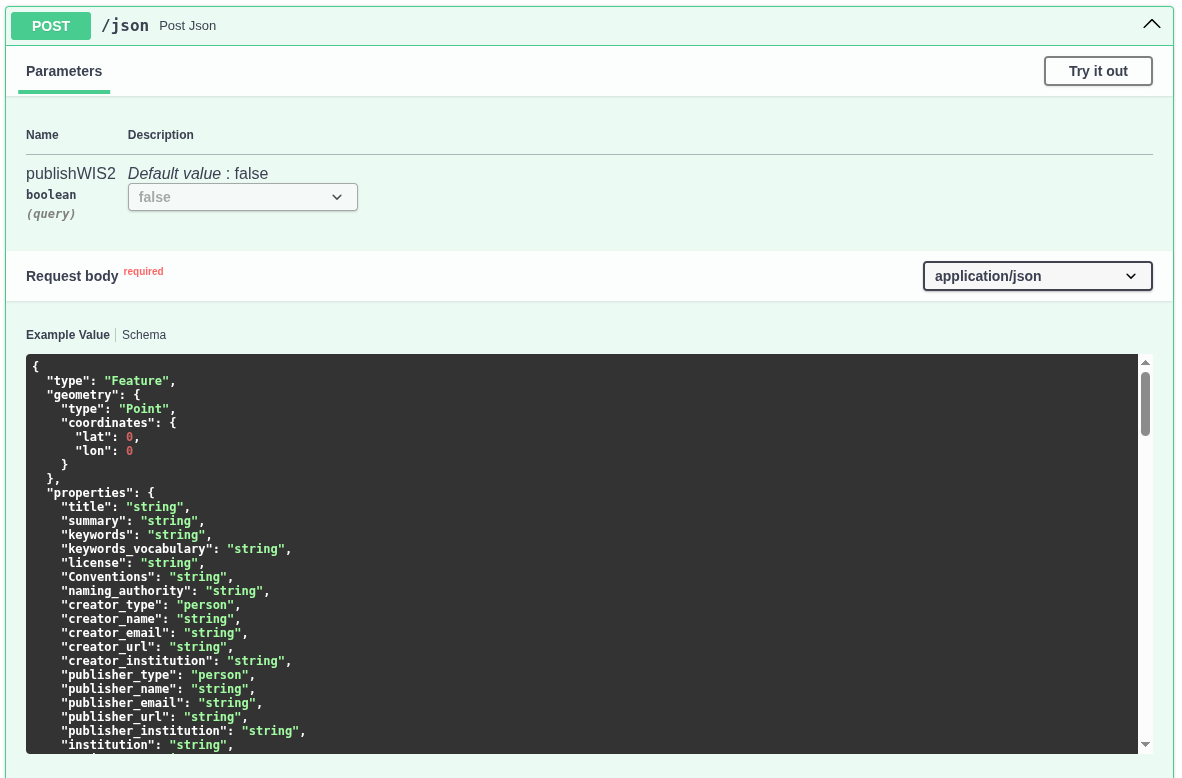
Swagger UI Usage:
- Klick to "Try it out" button
- Insert your schema to the textbox
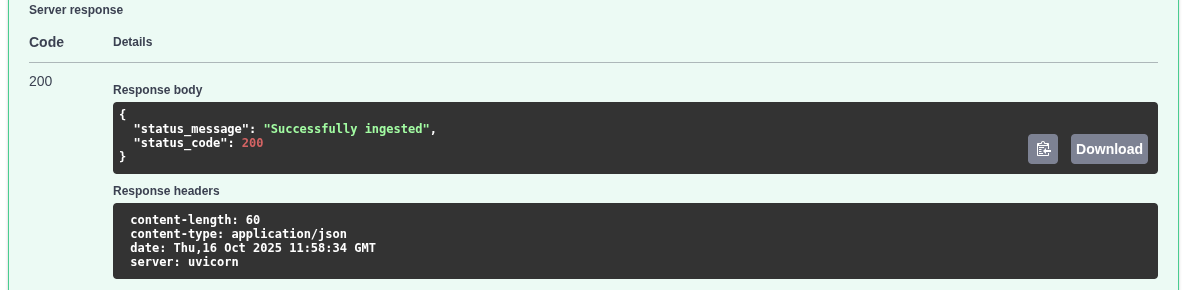
- Klick to Execute button, and return- code 200 means "Succesfully ingested"
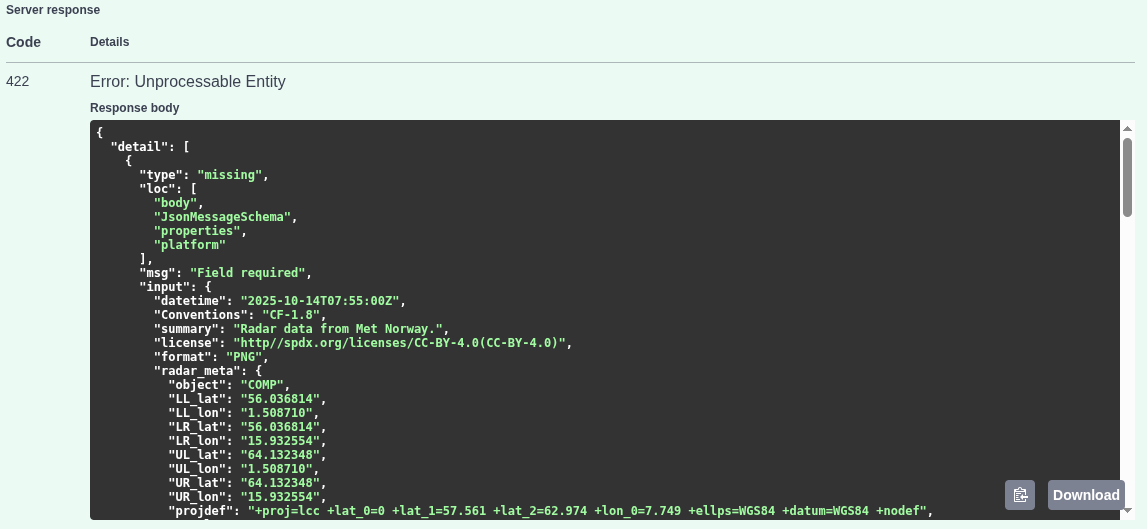
Error: platform missing
Command line ingest:
curl -X 'POST' \
  'https://radar.meteogateeu/ingest/json?publishWIS2=false' \
  -H 'accept: application/json' \
  -H 'Content-Type: application/json' \
  -d '{
  "id": "",
  "version": "v4.0",
  "type": "Feature",
  "geometry": {
    "type": "Point",
    "coordinates": {.....
    ...}'
Generate and validate ingest schema with openradardata-validator
Openradardata-validator includes a JSON message generator for creating custom json_upload_schema files and a validator script to verify the schema. The message generator creates distinct JSON schemas for each quantity at each level. Generate your schema(s) and customise it.
Make the upload schema manually
Scroll down and check the properties in the Schemas box.
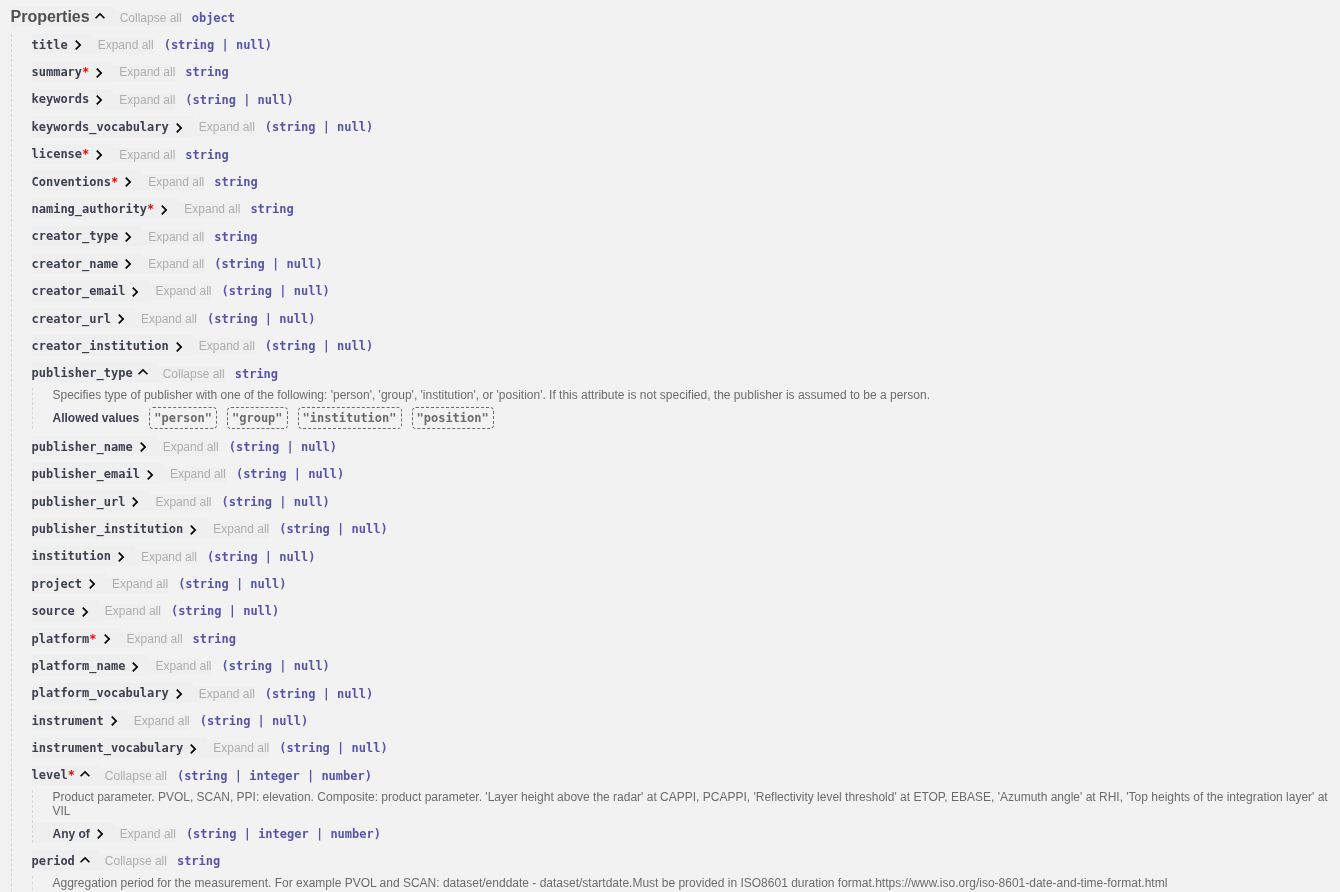
coordinates:- Single site: use site coordinates
- Composite: use the central(math average) point coordinates. (Corner coordinates TBD)
platform:- Single site data: use the existing Wigos Id of radar
- Composite data: generate a unique id for your each grid, for example: 0-578-0-S_Norway_Comp_v1 , where:
- 578: Norway ISO country code
- S_Norway_Comp_v1: unique ID. Max length 16, the use of '-' character is not allowed.
license: https://creativecommons.org/licenses/by/4.0/ (for example)level: Use ODIM product parameter(if exists) or 0- PVOL, SCAN, PPI: elevation
- Composite: product parameter
- CAPPI, PCAPPI: 'Layer height above the radar
- ETOP, EBASE: Reflectivity level threshold
- RHI: Azumuth angle
- VIL: Top heights of the integration layer
function:- scan: Single site SCAN or volume scan PVOL
- comp: Composite product
- datetime, two allowed options:
start_datetimeandend_datetime: format example: '2025-10-14T07:55:00Z'datetimeandperiod:datetimeis theend_datetime. The period in ISO8601 duration format, for example:- 'PT30S': 30 second
- 'PT45M': 45 minutes
- 'PT1H': one hour
format: BUFR, ODIM, GeoTIFFradar_meta: set the ODIM attributes, including the image corner coordinateshamsl: height of stationcontent:value: 0standard_name: ODIM quantityunit: '%'size: '1'encoding: 'utf-8'
links:- add general link for your institution, or API:
json { "href": "https://en.ilmatieteenlaitos.fi/radar-data-on-aws-s3", "rel": "service-desc", "type": "application/geo+json", "hreflang": "en", "title": "FMI Radar Data on AWS" } - for the direct data access add at least one link with the
itemoritemsproperty. For exanple:json { "href": "https://rgw.met.no/f6e82026a94d490aba8481274757556e:stacapi-radar-production/Mosaic-Norway-v1/2025/10/15/norway_pcappi_class-dbz-1000_202510151035.tiff", "rel": "item", "type": "image/tiff; application=geotiff; profile=cloud-optimized", "title": "Data" }
- add general link for your institution, or API: